Book a tour

Volunteer-run · Not-for-profit · Vancouver, BC

Robots that
actually move

A member-run lab for embodied AI. Quadrupeds, manipulators, teleoperation rigs, edge compute and a padded test cage — the hardware you would never buy alone, in a room that never closes. $78 CAD a month. Earn your fob and the door opens 24/7.

360° LiDAR · 40 m Depth + RGB head 12 × BLDC joints Torque-controlled knee Jetson bay ≈ 700 mm
Status
Founding intake
Dues
$78 CAD / mo
Student rate
$62.40 · UBC / BCIT
Open Lab
Tue 17:00–21:00
Keyholder access
24 / 7 · by fob
01

Equipment manifest

In service is on the floor today. On order is bought and in transit. Planned is what we are saving for — sponsor a line item and it carries your name. Every drawing below is ours; swap in a real photo of the machine once it lands.

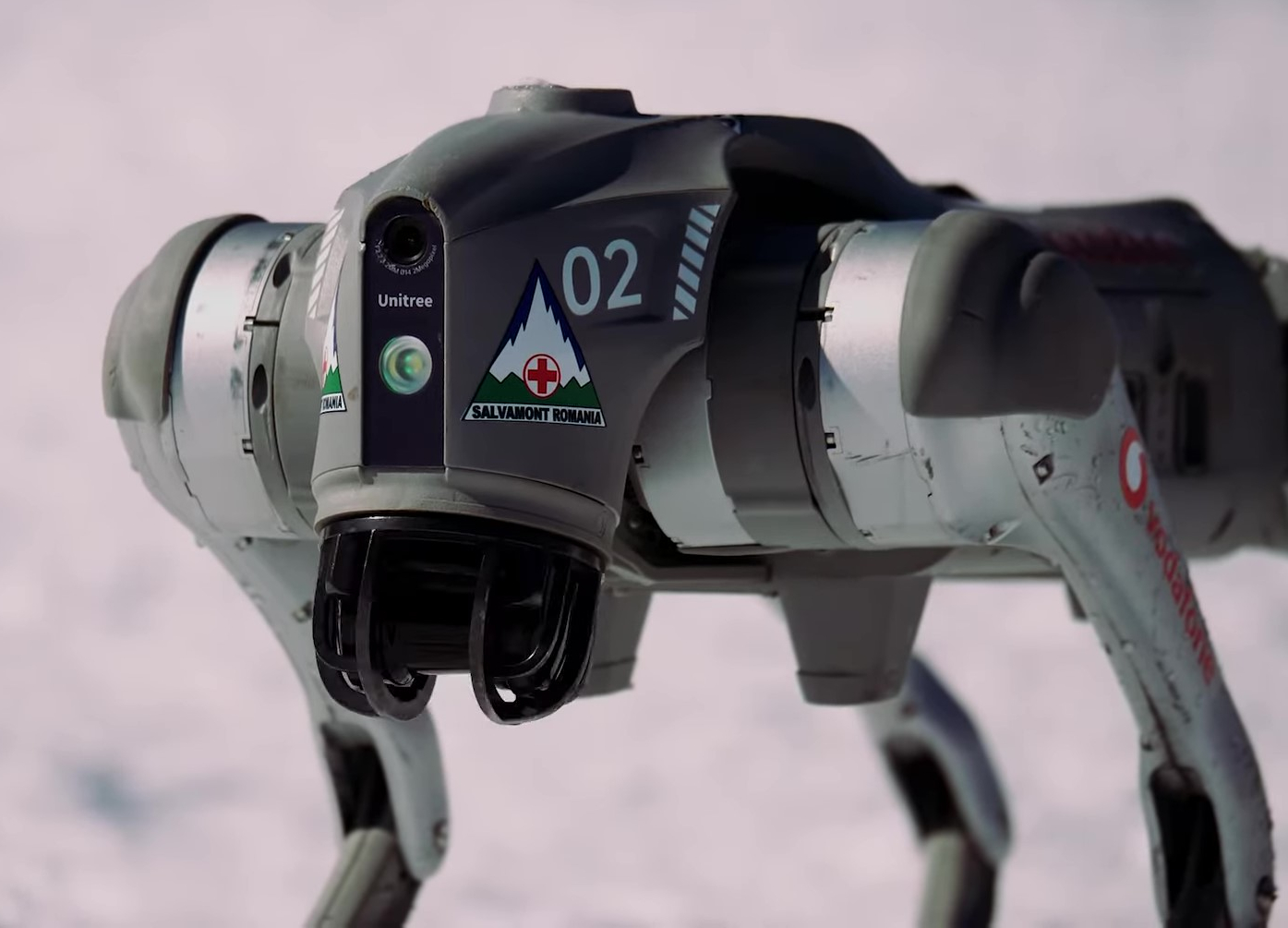
In serviceUNIT-01Unitree Go2 quadruped robot standing in snowPhoto HotNews Romania · CC BY 3.0 · Salvamont livery — not our unit

Legged platform · Locomotion & outdoor autonomy

Unitree Go2 EDU

Our flagship. Twelve torque-controlled joints, a 4D LiDAR on the mast, and an open SDK that lets you run your own controller instead of the stock one. This is the machine you use to take a policy you trained in Isaac Lab and find out, on a real floor, how wrong it was.

Degrees of freedom
12 (3 per leg)
Mass / payload
≈15 kg / 8 kg
Top speed
3.7 m/s
Endurance
2–4 h · 8000 mAh
Sensing
4D LiDAR L1, stereo, IMU
Interface
unitree_sdk2, ROS 2, Python

Quadruped sign-off required · Spotter required at all times · Booked in 2 h blocks · Outdoor runs need a second keyholder
In serviceUNIT-02 · ×2 PAIRS Leader — you move it Follower — it copies Joint mirror Parallel gripper Object set

Manipulator · Imitation learning

SO-101 leader / follower arms

The cheapest honest path into modern manipulation. You physically move the leader arm; the follower copies it and every joint angle is recorded. Fifty demonstrations later you train a policy on your own data and watch the follower do it alone. Two full pairs, so two people can collect at once.

Degrees of freedom
6 + parallel gripper
Actuators
Feetech STS3215 smart servos
Reach / payload
≈450 mm / 0.5 kg
Capture
Wrist + overhead + side cams
Software
LeRobot, ACT, diffusion policy
Cost to replicate
≈$250 CAD per arm

Basic orientation only · No booking for single arms · Book the capture rig for long sessions · Spare servos and printed parts in the bin below

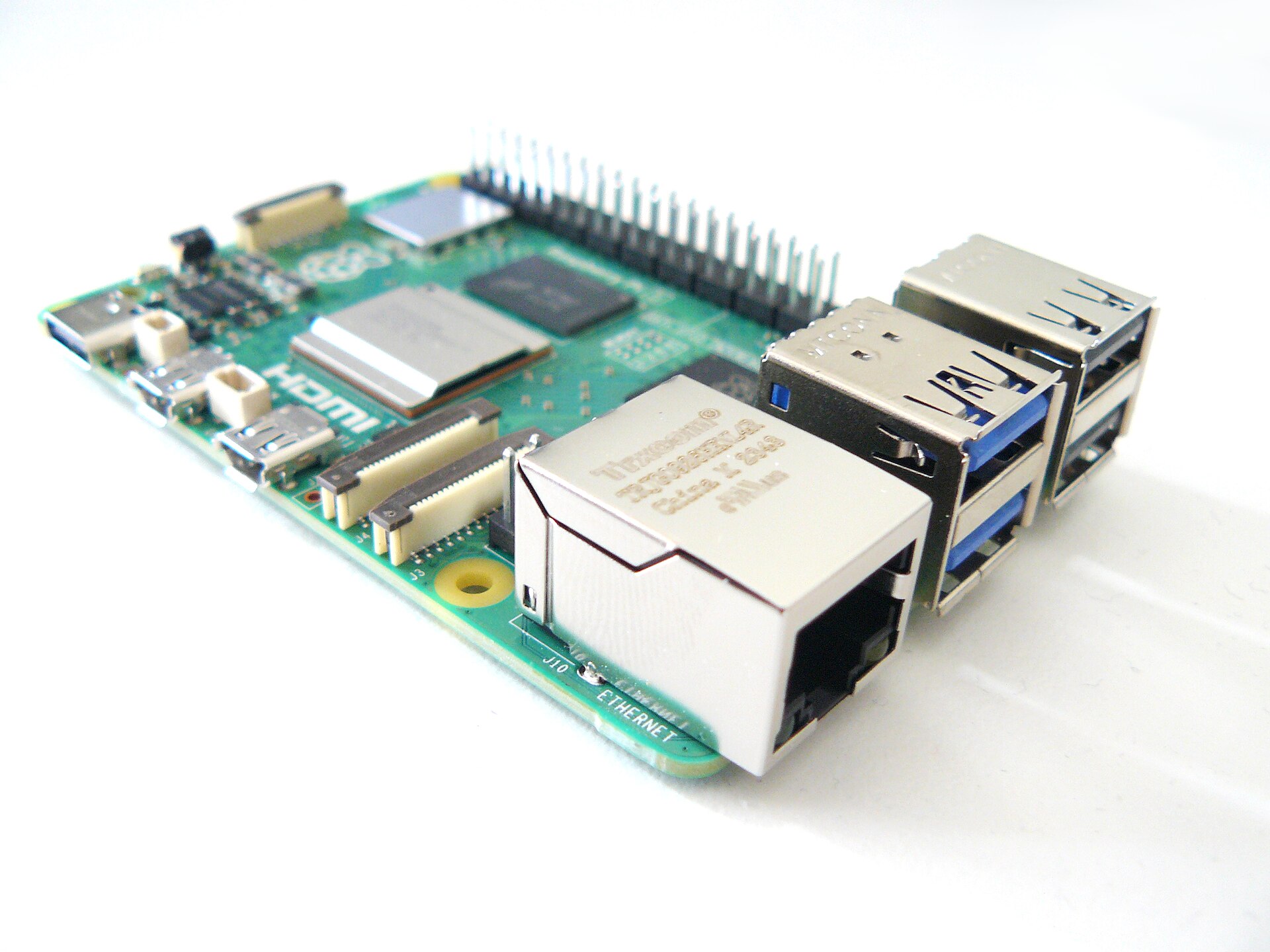
In serviceUNIT-03 · ×3Raspberry Pi 5 single-board computerPhoto RetroEditor · CC BY 4.0 · Pi 5 from the same shelf

Edge compute · On-robot inference

Jetson Orin Nano Super

Three of them, signed out at the bench. This is what goes on the robot when your laptop cannot come along — vision pipelines, on-board policy inference, ROS 2 nodes that need to run at 50 Hz without a Wi-Fi round trip. Flash them however you want; we reimage them monthly from a known-good image. Four Raspberry Pi 5s share the same shelf for the jobs that do not need a GPU.

AI performance
67 TOPS (INT8)
GPU
1024-core Ampere, 32 tensor cores
Memory
8 GB LPDDR5 · 102 GB/s
Power envelope
7–25 W
Camera
2 × CSI, 4 × USB 3.2
Preloaded
JetPack, ROS 2, TensorRT

Sign out at the bench · Return with the power supply and the SD card · Overnight runs allowed if logged in Slack

In serviceUNIT-04 GPU · 24 GB+ VRAM Isaac Lab · MuJoCo Reward curve, live

Simulation & training · Shared

GPU training workstation

One serious machine so nobody has to rent cloud GPUs to try an idea. Isaac Lab, MuJoCo, Gazebo and a LeRobot training environment are installed and kept current, with our own robot models already loaded. Train overnight, wake up to a policy, carry it twelve feet to the cage.

Purpose
RL, sim-to-real, policy training
Installed
Isaac Lab, MuJoCo, Gazebo, ROS 2
Datasets
Mounted from the shared NAS
Access
SSH from your desk, or sit at it
Booking
8 h blocks · queue in Slack
Storage
Fast local scratch + 24 TB NAS

Booking required · Do not delete another member's checkpoints · Long runs get paused for a booked session, so book

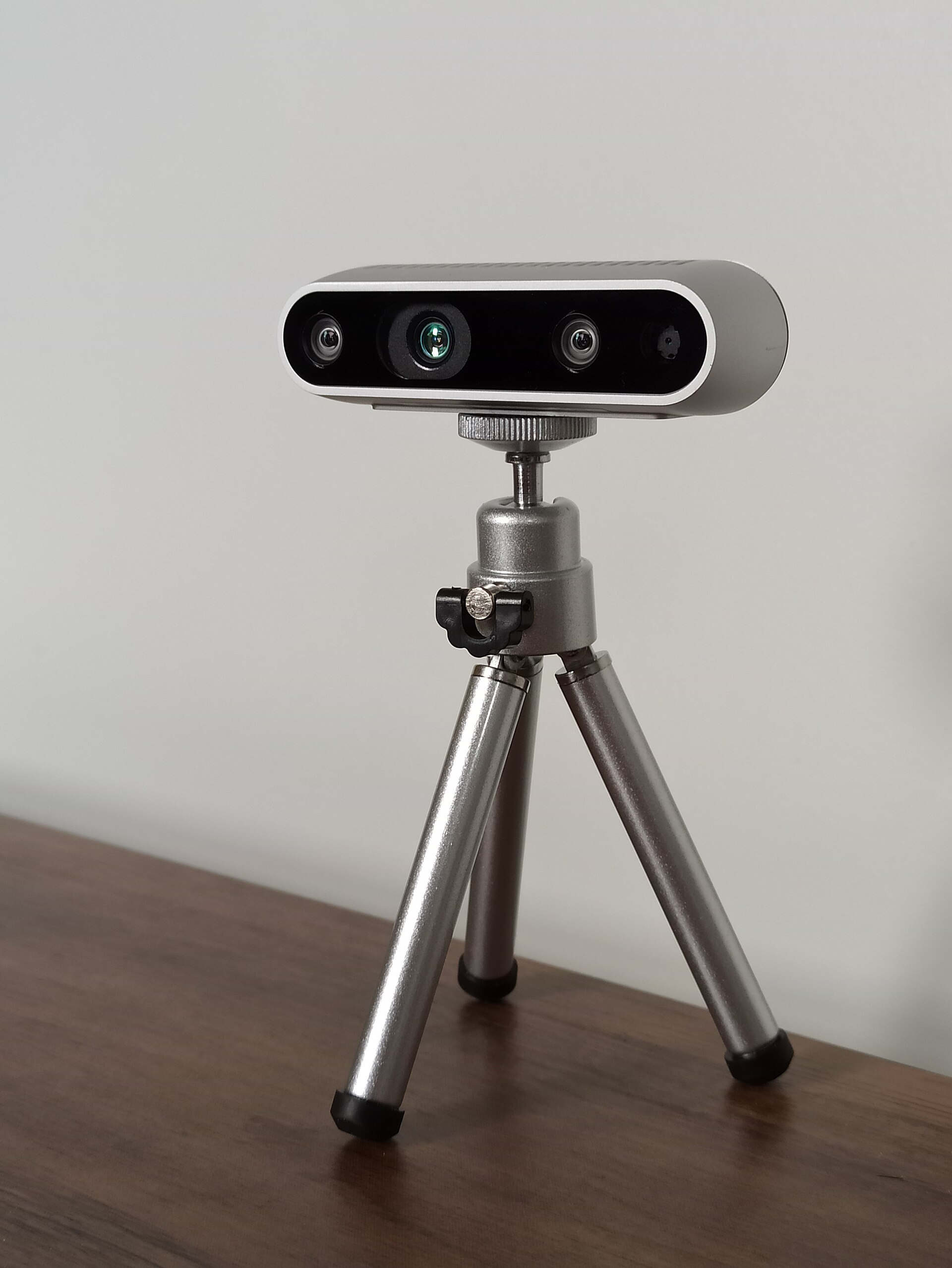
In serviceUNIT-05 · KITIntel RealSense D435 depth cameraPhoto Marc Auledas · CC BY-SA 4.0 · RealSense D435

Perception kit · Sign-out

Depth, stereo & LiDAR

A shelf of eyes. Two RealSense D435i for metric depth with an IMU baked in, two OAK-D Lite that run their own neural nets on-camera, and 2D LiDAR for mapping and obstacle work. All of it mounts to the arms, the quadruped or a tripod with the same hardware.

RealSense D435i ×2
1280×720 depth @ 90 fps, IMU
Depth range
0.2 – 10 m · 87° × 58°
OAK-D Lite ×2
Stereo + on-device inference
2D LiDAR ×2
360°, 12 m, for SLAM
USB cameras ×8
Wrist / overhead / side capture
Mounts
Tripods, arm brackets, printed rigs

Sign out at the bench · Return the mount with the camera · Lens caps on · Ask before re-flashing an OAK

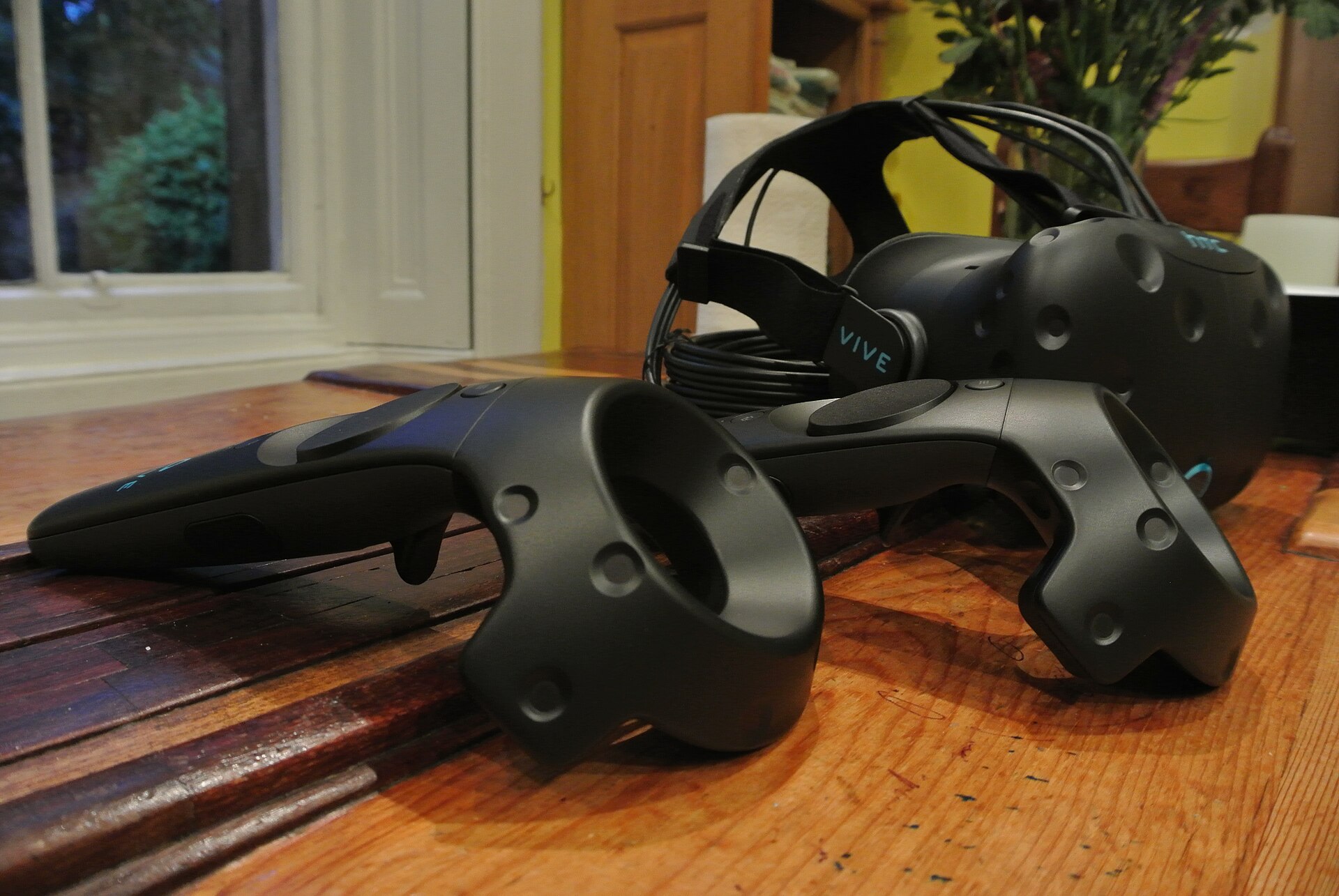
In serviceUNIT-06Virtual reality headset and hand controllersPhoto PB · CC BY-SA 4.0 · Illustrative — ours is a Quest 3

Teleoperation & data capture

VR teleop & capture rig

A Quest 3 with hand tracking mapped onto the arms, two SpaceMice for precise end-effector jogging, and a lit capture table with fixed camera mounts and a repeatable object set. This is where demonstration datasets actually get made — bad lighting and a wobbly camera ruin more runs than bad code.

Headset
Meta Quest 3 · hand tracking
6-DoF input
SpaceMouse ×2
Controllers
Gamepads ×4 (quadruped drive)
Capture table
Fixed lighting, marked object set
Camera mounts
Wrist, overhead, two side angles
Output
LeRobot episodes → shared NAS

Wipe the facial interface when you finish · Book the capture table for sessions over one hour · Keep the object set complete

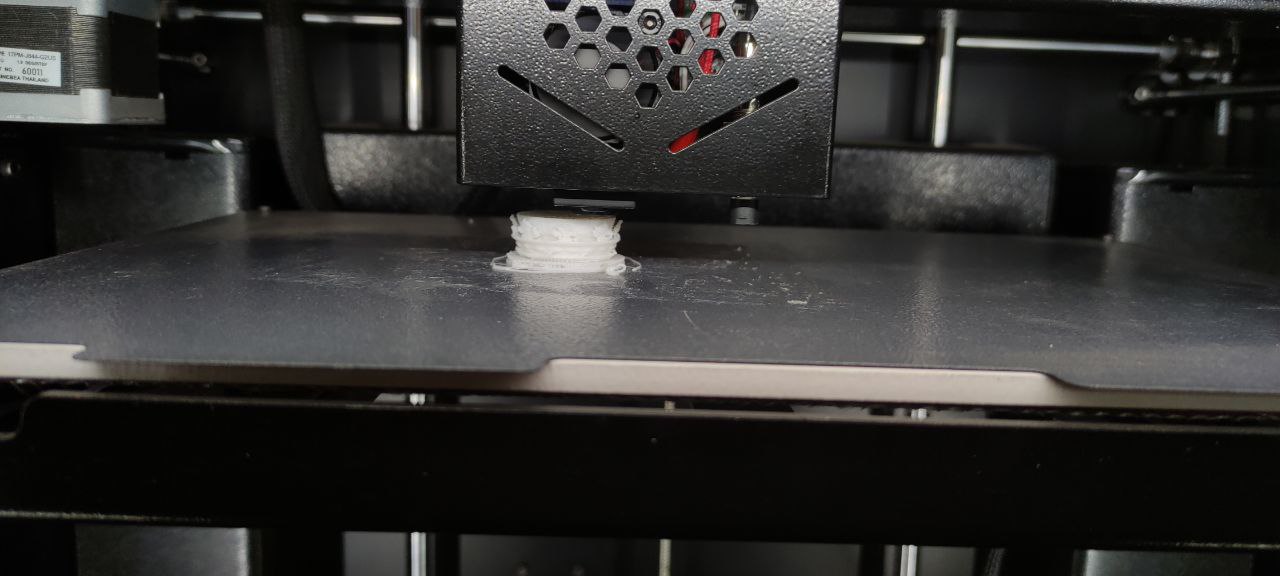
In serviceUNIT-07 · ×2FDM 3D printer laying down a partPhoto HRostamani · CC BY-SA 4.0 · Illustrative FDM printer

Fabrication · Additive

Bambu Lab P1S + AMS & A1

Robotics is 60% brackets. The P1S is enclosed and fast enough that a redesigned motor mount is a lunch break, not a weekend; the A1 handles the quick open-frame jobs. House PLA and PETG are included in your dues. Bring your own filament for anything exotic, or buy a spool from the shelf at cost.

Build volume
256 × 256 × 256 mm
Materials
PLA, PETG, TPU, ABS (P1S)
Multi-material
4-colour AMS on the P1S
Typical bracket
25–60 min
Slicer
Bambu Studio / OrcaSlicer
Included
House PLA + PETG

Printer orientation required · Clear the plate when your print finishes · Failed prints go in the filament bin, not recycling · No unattended ABS

In serviceUNIT-08 · SAFETY-CRITICAL E-stop Ramp · stairs · slip plate 3.0 m 2.4 m

Containment & test · Mandatory for motion

Padded test cage & locomotion course

Three metres square, padded floor and walls, with hard-wired e-stops on two sides and a wireless one that lives in a spotter's hand. Inside it sits the course: a ramp, a stair module, a gravel tray and a slip plate — everything a locomotion policy needs to fail safely before it fails on a sidewalk.

Footprint
3.0 × 3.0 m · 2.4 m high
E-stops
2 wired + 2 wireless
Obstacles
Ramp, stairs, gravel, slip plate
Surfaces
Padded floor, netted upper panels
Overhead
Mocap rail (mounts pre-installed)
Booking
Required · 2 h blocks

All arm motion and all gaits above walking pace happen in here · An e-stop stays in a human hand whenever a robot is energised · Never enter the cage while a policy is running

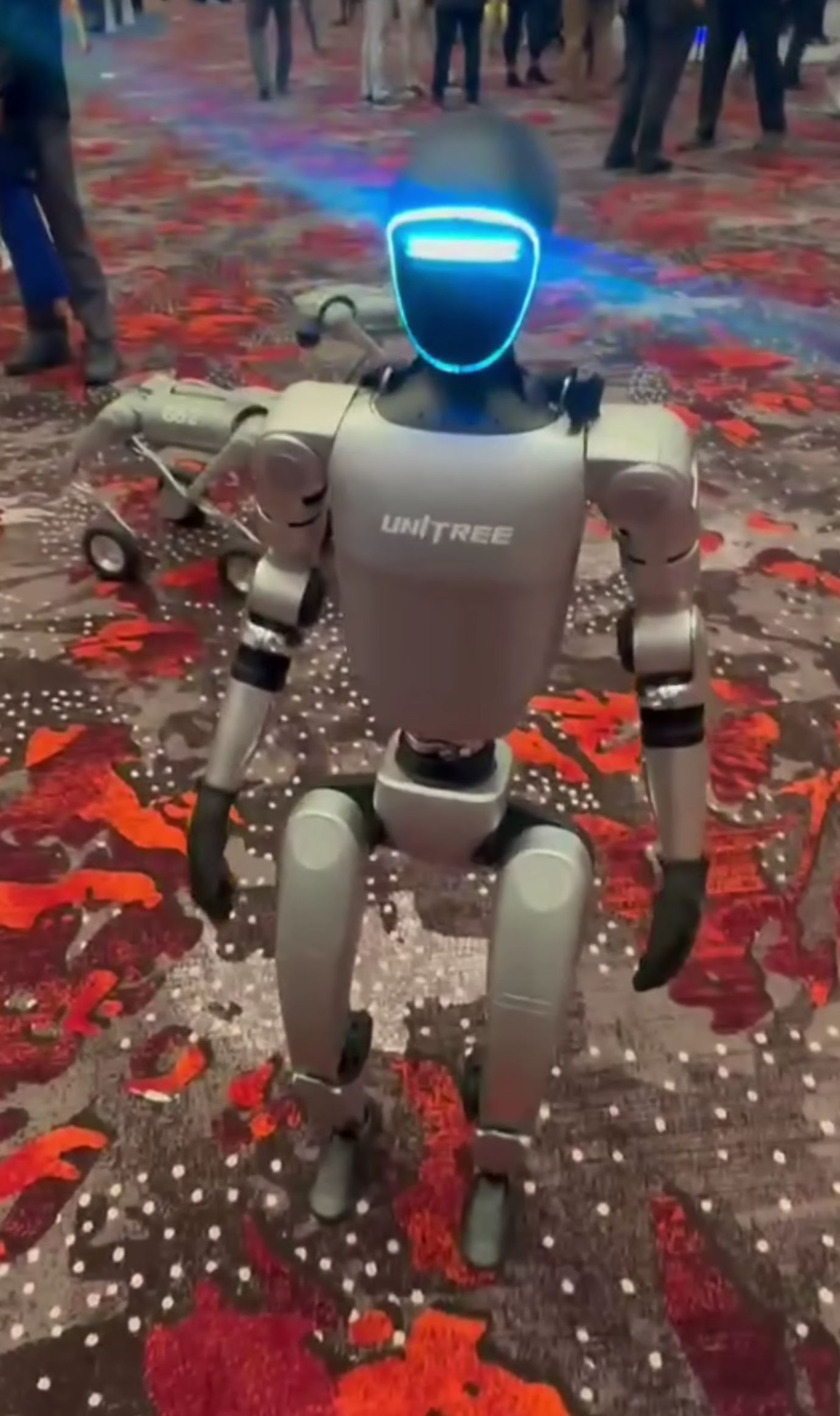
PlannedUNIT-09 · SEEKING SPONSORUnitree G1 humanoid robot walkingPhoto Sayanesy · CC0 · Unitree G1 at an expo

Legged platform · Planned

Unitree G1 humanoid

The next big line item. A humanoid changes what the space can do — whole-body control, loco-manipulation, teleoperated data collection on a human-shaped body. It also changes the safety picture completely, so it arrives with a gantry harness, a hard cage protocol and a separate sign-off, or it does not arrive.

Degrees of freedom
23 – 43 depending on config
Height / mass
≈1.3 m / ≈35 kg
Sensing
Depth + LiDAR head, mic array
Use cases
Whole-body control, loco-manip
Blocking on
Funding + harness gantry
Sponsorship
Named line item — talk to us

Not on site · Will require its own sign-off, a harness, two people present, and a written protocol before a single step is taken

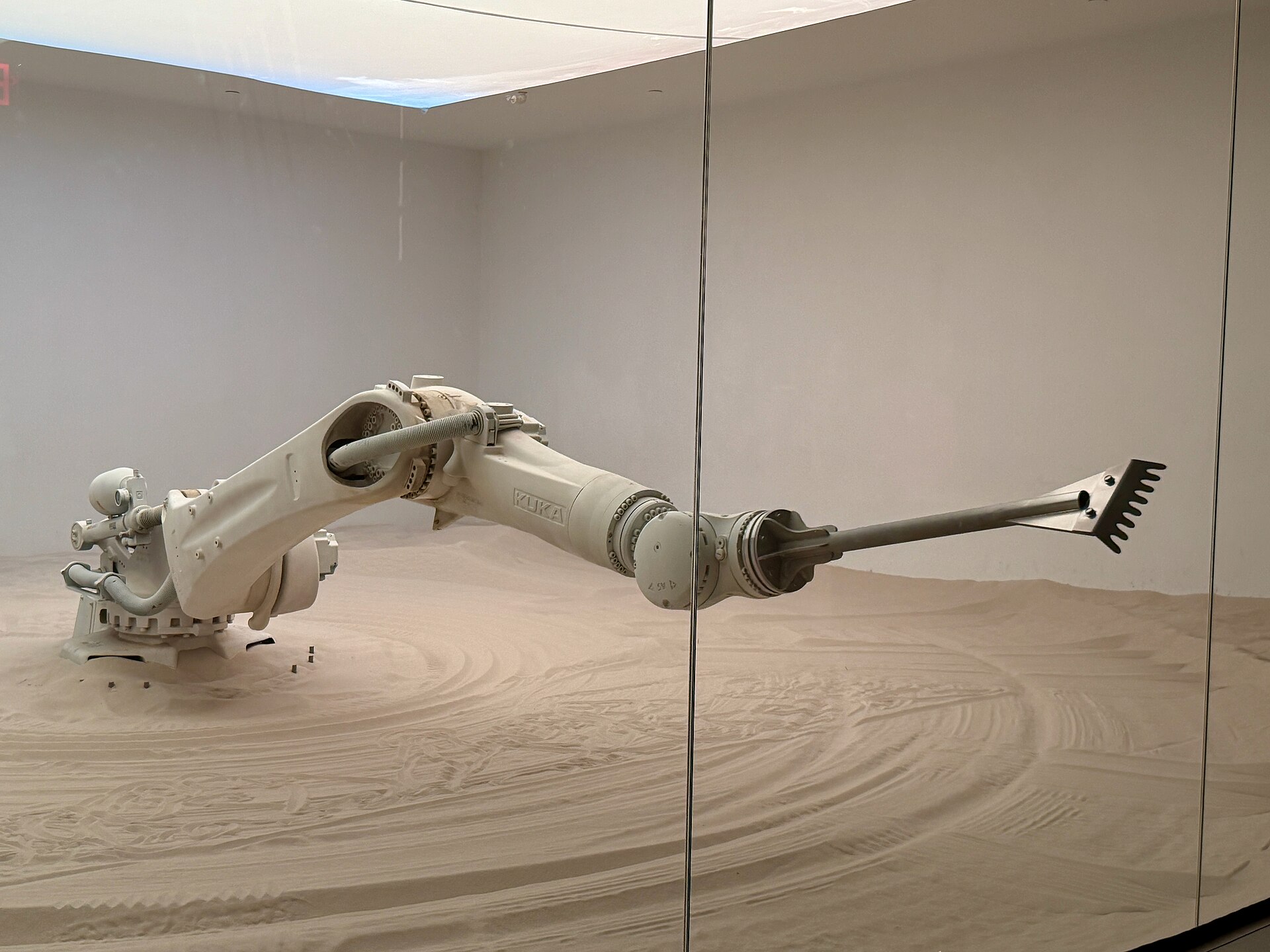
PlannedUNIT-10 · SEEKING SPONSORSix-axis industrial robot arm at workPhoto Oleg Yunakov · CC BY-SA 4.0 · Illustrative industrial arm

Industrial manipulator · Planned

UFactory xArm 6

A payload-rated arm with repeatability the SO-101s cannot touch — the machine you need when a project graduates from "it works in a demo" to "it works a hundred times in a row." It lives in a fenced cell with a light curtain, because five kilograms moving fast is a different category of hazard.

Axes
6
Reach / payload
700 mm / 5 kg
Repeatability
±0.1 mm
Interfaces
Python SDK, ROS 2, MoveIt
Cell
Fence + light curtain + e-stop
Blocking on
Funding + cell build

Not on site · Will require a dedicated sign-off and a fenced cell with an interlocked door before first power-on

02

The bench

No booking, no sign-off, no sign-out sheet. Walk up and use it. This is the stuff that turns "I have an idea" into a thing with wires coming out of it at 1 a.m.

Soldering & rework

Two temperature-controlled stations, a portable iron for on-robot work, hot-air rework, fume extraction and a microscope for the small stuff.

  • Hakko-class stations ×2
  • Hot air + preheater
  • Fume extraction, always on
  • Flux, wick, paste, tips

Measurement

If you cannot see the signal you cannot debug the robot. A four-channel scope, a logic analyzer for the bus you swear is working, and three meters so nobody has to share.

  • Digital scope, 4 ch
  • Logic analyzer + probes
  • Multimeters ×3
  • Bench PSUs 0–30 V, current-limited

Motors & drivers

A drawer of actuation. Smart servos compatible with the arms, BLDC motors with field-oriented drivers, steppers, encoders, and the couplings to join them to something.

  • Feetech STS3215 smart servos
  • BLDC + FOC drivers
  • Steppers, encoders, gearboxes
  • Belts, pulleys, bearings, shafts

The component wall

Labelled, sorted, and restocked by whoever notices it is empty. Resistors, caps, connectors, standoffs, fasteners in metric, heat-shrink, and the JST crimp you need at midnight.

  • Passives, connectors, headers
  • JST / Dupont / XT60 / ferrule dies
  • M2–M6 fasteners, standoffs
  • Take what you need, log the big stuff

Dev boards

Grab one, flash it, give it back or buy it. ESP32 for anything wireless, STM32 when you need real-time, Arduino-compatibles for a five-minute test, Pi 5s with CSI cameras and CAN hats.

  • ESP32 / STM32 / Arduino-compatible
  • Raspberry Pi 5 ×4 + HATs
  • CAN, RS-485, USB-serial adapters
  • Breadboards, jumpers, probes

Hand & power tools

Drill/driver, rotary tool, a proper vise, digital calipers, metric hex and torque drivers, tap and die. Everything has a shadow on the wall so you know where it goes back.

  • Calipers, torque drivers, hex sets
  • Drill/driver, rotary tool, files
  • Vise, clamps, cutting mat
  • Tap & die, thread locker
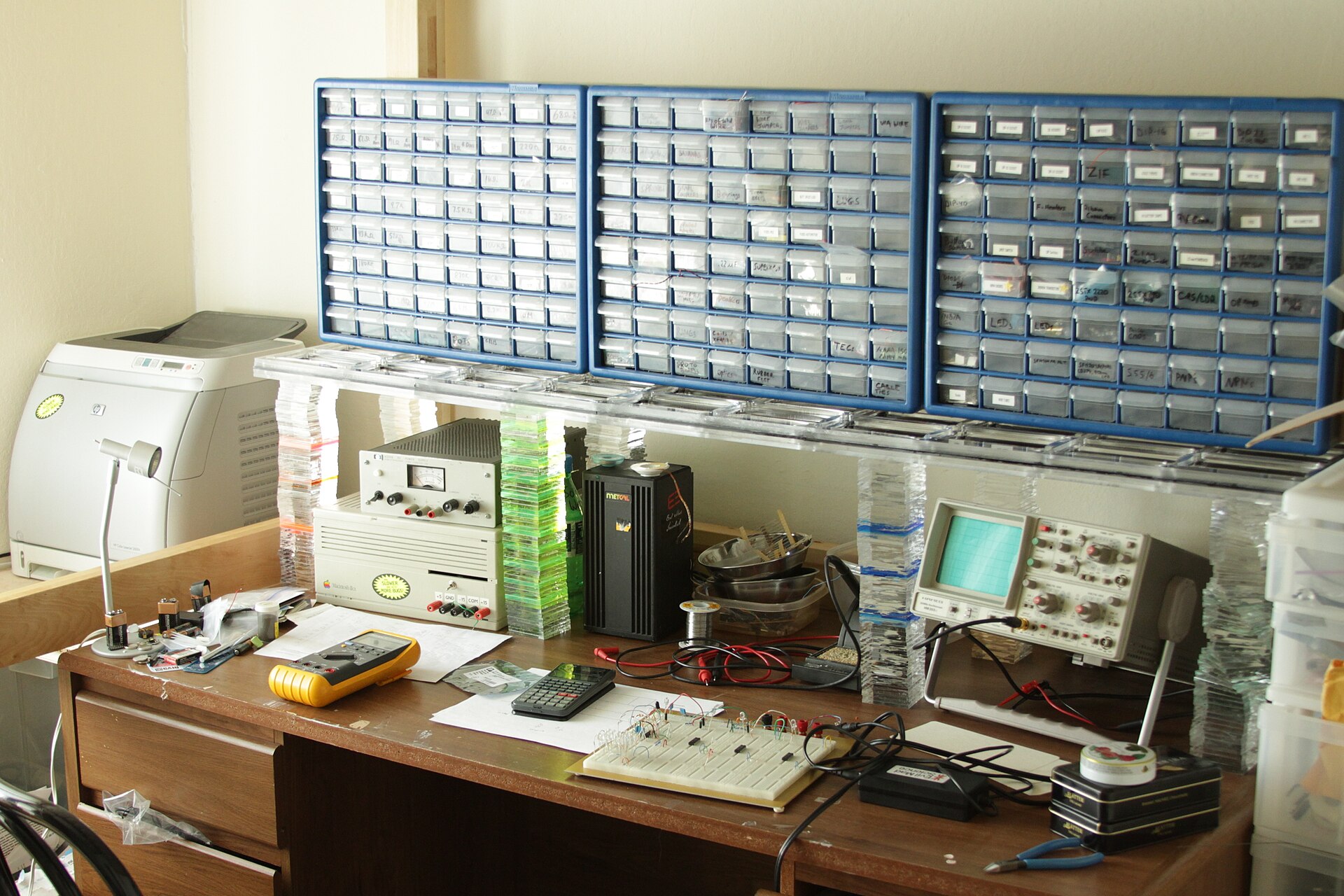
A working electronics bench covered in tools, wire and parts

This is what a working bench looks like

Not a showroom. Somebody's project is half apart on it right now, the iron is still warm, and there is a labelled box for the part you are about to need.

Photo Windell Oskay · CC BY 2.0
Also on the floor: a 24 TB dataset NAS · fire-rated LiPo charging locker with a dedicated extinguisher · a labelled project shelf for every member · lockers · fast wired and wireless network · whiteboards and spare monitors · a kitchenette that stays clean because people wash their own mugs.
03

The stack we maintain

Hardware is the easy part. These are the things the space keeps working so your first three evenings go into your project instead of a driver.

Robot software

  1. ROS 2 containers, one per robot. Pull, plug in, drive. No two-day dependency hunt to get a topic to publish.
  2. Simulation, kept current. Isaac Lab, MuJoCo and Gazebo on the workstation, with our actual robot models already loaded.
  3. A LeRobot pipeline wired to the NAS. Record episodes, train a policy, replay it on the same arm you recorded from — one command each.
  4. A house safety wrapper on the vendor SDK. Velocity limits, workspace bounds and an e-stop hook you cannot comment out by accident.
  5. Reference repos on our GitHub. A working starter project per platform, so your first commit is an edit, not a blank file.
  6. A dataset convention. Naming, metadata and licensing, so someone else's episodes are actually usable by you.

Running the space

  1. Booking. Cage, workstation, capture rig and quadruped all come off one calendar.
  2. The wiki. One page per machine: hazards, orientation notes, known quirks, settings, who to ask.
  3. The waiver. Signed before you touch anything with a motor in it. No signature, no power.
  4. The incident log. Every near-miss written down, no blame attached. This is the only mechanism that makes the rules get better.
  5. Slack. Where the space actually lives — questions, queue-jumping, part orders, ride shares, the bin rota.
  6. The orientation calendar. Monthly safety orientation, plus member-run workshops on whatever people want to teach.
04

Membership

Month to month. No signup fee, no lock-in, cancel with a note in Slack. We are not-for-profit — dues cover rent, insurance, consumables and the next line item on the manifest, and nothing else.

Visitor
FreeOpen Lab · Tuesdays
  • Tuesdays 17:00–21:00, no booking
  • Watch the robots run, ask anything
  • Supervised hands-on at the bench
  • 19+ and a signed waiver to touch hardware

Come as many Tuesdays as you like before deciding.

Member
$78CAD / month
  • Everything in Visitor
  • Booking rights on all shared equipment
  • Sign-offs on arms, printers and the quadruped
  • A labelled project shelf and NAS storage
  • Slack, wiki, workshops, reference repos
  • 24/7 fob once you qualify as a keyholder

No signup fee. The first month is a probation month.

Student · 20% off
$62.40CAD / month
  • Identical to Member in every way
  • Current UBC or BCIT students
  • Show a valid student card at your tour
  • Undergrad, grad, co-op and part-time count

Reverified each September.

How to join: book a tour → walk the space and sign the waiver → set up your monthly payment → you are a member that day.  Hardship: if $78 is the only thing between you and this space, email shiqi446@gmail.com. We keep a small number of subsidised spots and we would rather have you here than have the money.
05

Earning 24/7 access

A fob means being alone in a room with a machine that weighs as much as a large dog and does not know you are there. That is trust, and trust is granted by people who have met you — never by a payment.

00Visitor

Come to an Open Lab

Turn up on a Tuesday, or book a tour for another time. Free, no commitment. You get a walkthrough, you meet a few members, and you find out whether this is your kind of room.

01Member

Sign the waiver, start your dues

You are now a member with supervised access: Open Lab, plus any hours a keyholder is present and has agreed to host you. In practice that is most evenings. Your probation month starts here.

  • 19 or older
  • Signed liability waiver on file
  • First month of dues paid
  • Slack account under your real name
02Cleared

Pass the Robot Safety Orientation

Ninety minutes, run by a keyholder, roughly monthly. E-stop drills, cage rules, lithium handling, power-down procedure, and what to do in the first ten seconds when something goes wrong. You leave cleared to run the arms and printers unsupervised.

  • The quadruped is a separate sign-off and always needs a spotter
  • Every planned machine will get its own sign-off before it is powered
03Keyholder

Get sponsored — then the fob

This is the step that matters. You cannot apply for 24/7 access on your own: an existing keyholder has to nominate you and put their name on it. That is the whole mechanism — somebody who has worked beside you is willing to vouch that you are safe here alone.

  • 30 days of continuous membership — 14 on the contribution fast track
  • One keyholder sponsor who has actually worked alongside you, posting the nomination in Slack
  • A 7-day objection window. Silence means yes. Any objection goes to the board, who decide and write down why
  • Safety orientation complete, dues current, no open incident against you

Then you get a fob, the alarm code, and what comes with them: you sign in your guests, you check the space is secure when you leave alone, and you are accountable for what happens on your watch.

The contribution fast track

A volunteer-run space exists because people do unglamorous things for it. Do two of these in your first month and the keyholder wait drops from 30 days to 14 — and finding a sponsor gets much easier, because people notice.

  • Run a workshop, a demo night, or a safety orientation
  • Write or seriously improve a machine's wiki page
  • Repair, calibrate or maintain a tool and log what you did
  • Publish three build posts on Instagram or TikTok tagging the space
  • Shoot or edit video of someone else's project for the channel
  • Contribute a dataset to the NAS, or a merged PR to a house repo
  • Take a month on the bin rota
  • Host and supervise visitors for two Open Labs

Post what you did in Slack so it is on the record. Nobody is auditing you — this runs on people saying what they did.

06

Waiver & insurance

Robots are not a metaphor here. A quadruped can knock an adult over, an arm can crush a finger, and a lithium pack can set a room on fire. Everyone who walks in signs the same document, and the space carries real coverage. This page is what we ask you to agree to — read it before you arrive, not at the door.

The waiver

One page, signed digitally before your first hands-on session and kept on file. It is a British Columbia release of liability, waiver of claims and assumption-of-risk agreement — the same instrument a climbing gym or a machine shop uses, written for robots.

Release & assumption of risk

V1 · BC
  • I am 19 or older, and I am signing for myself.
  • I understand the space contains powered robots, high-torque actuators, lithium batteries, soldering irons, rotating tools and 3D printers, and that these can cause serious injury or death.
  • I accept that robots behave unpredictably, including when running software written by me or by another member, and that a machine which has behaved safely a hundred times may not the next time.
  • I will not operate any machine I have not been signed off on, and I will follow the house rules and any instruction from a keyholder.
  • I will report every injury, near-miss and equipment fault to the incident log the same day.
  • I release Embodied AI Vancouver, its board, volunteers and members from claims arising from my use of the space, to the extent the law allows.
  • I agree that this release binds my heirs and is governed by the law of British Columbia.
  • I consent, or do not consent, to being photographed or filmed — my choice, recorded on the form and respected.
  • I have given an emergency contact and disclosed any condition first responders should know about.

Guests sign it too, every visit, before they cross the line into the workshop. Under-19s cannot sign and cannot enter the workshop area — no exceptions, including for a member's own family.

Insurance & emergency

A waiver is not insurance, and neither one replaces the other. The space carries both, and neither covers your personal property.

Coverage
Commercial general liability held by the society, naming the landlord, covering third-party bodily injury and property damage in the space.
Directors
Directors & officers cover for the volunteer board, because nobody should risk their house to run a hackspace.
Equipment
Contents cover on the society's robots and tools. Your own gear is not covered — insure it yourself or accept the risk.
Not covered
Your medical costs beyond provincial MSP, your lost work, your laptop, and anything you do after ignoring a sign-off requirement.
First response
First aid kit and eyewash by both doors. ABC and lithium-rated extinguishers at the cage and the charging locker. A posted list of members with current first aid certification.
In an emergency
Hit the nearest e-stop, then call 911. Do not move an injured person to tidy up first. Post in Slack, then file the incident the same day.

The two rules that never bend. An e-stop stays in a human hand whenever a robot is energised — not on the bench, in a hand. And lithium packs charge only in the fire-rated locker, attended, never overnight. Breaking either one costs you your access on the first offence, because the second offence is somebody else's injury.

07

House rules

A list of rules will not keep you safe. Safety comes from recognising hazards and knowing what to do about them — the list is only the part we can write down. Read it once, properly. It is short.

Safety

  1. 19+ and waivered. No exceptions, including guests and including family.
  2. No sign-off, no power. If you have not been cleared on a machine, you do not switch it on — not "just to look".
  3. An e-stop stays in reach of a human whenever a robot is energised. In a hand, not on the bench.
  4. Say "robot live" out loud before a motion command and wait for an answer from everyone in the room.
  5. Arms and fast gaits run in the cage. Outside it you get a slow walk with a spotter, and nothing else.
  6. Never run legged robots or arms alone between midnight and 06:00. Bench work, code and sim alone at those hours are fine.
  7. Lithium charges in the locker, attended, never overnight. A puffed pack goes in the sand bucket, not the bin.
  8. Eye protection at the bench. Tie back long hair, lose the loose sleeves and the lanyard.
  9. Report every incident and near-miss the same day. No blame is assigned. Hiding one is a far bigger problem than causing one.
  10. Stop anything unsafe the moment you see it, whoever is doing it. If you would rather not say it yourself, message a keyholder.

The space

  1. Leave it better than you found it. This is the whole social contract; everything else is a footnote to it.
  2. Tools go back on the wall, clean, at the end of your session — not at the end of your project.
  3. Label your project with your name, Slack handle and date. Unlabelled things on shared surfaces become communal after 30 days.
  4. Book before you occupy the cage, the workstation, the capture rig or the quadruped. Turning up does not beat a booking.
  5. Nothing leaves the building without being signed out, and the expensive things do not leave at all.
  6. Clear the print bed, reload the filament, take your failed prints with you.
  7. You are responsible for your guest the entire time they are in the building, including while you are in the bathroom.
  8. Never lend your fob or share the alarm code. This is the one rule where the first offence ends your access.
  9. Last one out powers down the cage, kills the chargers, shuts the windows and checks the door latched behind them.
  10. No production runs that monopolise a machine. Prototyping your startup here is encouraged — come talk to us before it becomes a factory.

Waste & cleaning

  1. Four streams, always sorted: organics, mixed containers, mixed paper, landfill. Vancouver sorts this way and the building is fined when we do not.
  2. Filament scrap, failed prints and purge blobs go in the marked bin, never in recycling. Empty spools stack beside it for return.
  3. E-waste, dead cells and lithium packs go in the red bin by the door. They never, under any circumstance, go in the garbage.
  4. Solvents, adhesives, resin and paint live in the flammables cabinet and go to a municipal depot. Never down a drain.
  5. Blades, snapped drill bits and swarf go in the sharps box, not loose in a bin someone has to lift.
  6. The bin rota is a monthly volunteer slot posted in Slack — two people, bins out on collection night, back in the next morning. It genuinely takes five minutes.
  7. Wipe the bench you used, vacuum the chips, run the floor sweep if you made dust.
  8. No food or open drinks in the cage or on the electronics bench. You wash your own dishes, that evening.
  9. If a bin is full, empty it. "Someone else's turn" does not exist here.
  10. Two clean-out days a year. Everyone is expected at one of the two.

Conduct

  1. Harassment, discrimination and intimidation end memberships. Race, gender, sexuality, disability, faith, age, background — none of it is a topic for commentary here.
  2. Ask before you film anyone. We want you posting your work; other people's faces, screens and unreleased projects are theirs to consent to.
  3. Assume good faith. Teach, do not mock. Everyone here was new once, including whoever wrote these rules.
  4. No weapons, and nothing built here is designed to injure a person.
  5. Your work is yours. The space claims no ownership of anything you build. Datasets you put on the shared NAS are CC BY 4.0 unless you mark them otherwise.
  6. Do not use the space, its name or its robots to represent a company or back a claim without asking first.
  7. Members' details stay inside the space. Do not scrape the Slack for recruiting.
  8. Disagreements go to a keyholder or the board, not to a public argument in Slack at 2 a.m.

How this is enforced. First problem: a conversation and a written warning. Second: a 30-day suspension with dues paused. Third: membership ends and the fob is revoked. The board decides, the reasoning is written down, and the member gets a copy.

Some things skip the ladder entirely. Deliberately unsafe operation, harassment, theft, lending your fob, disabling a safety system, or bringing anything illegal into the building means immediate removal and permanent revocation — that day, no warning first. If it is criminal it goes to the police as well as to the board.

Any decision can be appealed in writing to shiqi446@gmail.com, and it is reviewed by someone who was not involved in making it.

08

Where we are

We are securing a space with round-the-clock access right now. The address below is provisional while the lease is finalised — it changes here the moment it is signed, and every member gets a note in Slack.

Provisional — lease being finalised
Embodied AI Vancouver
ICICS / Computer Science Building
2366 Main Mall
University of British Columbia
Vancouver, BC  V6T 1Z4
Canada

Please do not travel to this address without a confirmed tour booking — we are not open to drop-ins yet. Book below and we will send you the exact meeting point and door instructions.

What we are looking for

  • Round-the-clock fob access — no front desk, no sign-in book
  • Ground floor or a freight elevator; robots and crates are heavy
  • A clear 5 × 5 m floor for the cage and the locomotion course
  • Power for a GPU workstation and a charging locker
  • A landlord relaxed about noise, dust and a robot dog
  • Reachable from UBC and from a SkyTrain station

Know a unit, a studio, or a corner of a lab that fits? Send it to us — a lead that becomes our lease earns you a year of free membership.

Where the space actually lives

#all-embodied-ai-vancouver

Questions, part orders, "is anyone at the space right now", the bin rota, and the keyholder nominations. Join before your tour — it is the fastest way to get an answer from a human.

Join the Slack

Embodied AI Vancouver operates on the traditional, ancestral and unceded territories of the xʷməθkʷəy̓əm (Musqueam), Sḵwx̱wú7mesh (Squamish) and səlilwətaɬ (Tsleil-Waututh) Nations.

09

Book a tour

Twenty minutes, no pitch. You see the robots, meet whoever is around, and get your questions answered. Fill this in and it opens an email to us — send it and we reply with a time.

Goes straight to shiqi446@gmail.com. Nothing is stored on this page.

Do I need robotics experience?
No. Members arrive from software, ML, mechatronics, art, and from nothing at all. What you need is patience and a willingness to read the manual before switching something on.
Can I bring my own robot or project?
Yes, please do. Anything that moves under its own power gets a quick safety look from a keyholder first, and anything with a lithium pack lives in the locker.
Is it really 24/7?
For keyholders, yes — that is the entire point. Before that you get Open Lab plus any hours a keyholder will host you, which in practice is most evenings.
How does the student discount work?
Show a valid UBC or BCIT card at your tour and dues are $62.40 instead of $78. Reverified each September.
Can I use the space for my startup?
Prototype here all you like. Once you are running a production process or monopolising a machine, come talk to us — that is a different arrangement, not a refusal.
Are there jobs in this?
Sometimes. People who show up, ship things and help others get introduced to hiring robotics teams — and to Robomile, the company behind this space. Nobody is owed a referral; the ones we make, we mean.
10

Who runs this

Embodied AI Vancouver is volunteer-run and not-for-profit. There are no staff. The person who wipes the bench, runs the orientation and answers your Slack message at 11 p.m. is another member who decided it was worth doing.

It was started and is currently underwritten by the team behind Robomile, a Vancouver robotics company — they supplied the first robots and cover the gap between dues and rent while the space grows. It is run for its members, not for the company: Robomile gets no priority on equipment and no claim on anything you build here.

Decisions that affect everyone — rules, spending, memberships, expulsions — are made by a board elected by members, and members with three months of standing get a vote. If you think something here is wrong, the way to change it is to show up and say so.

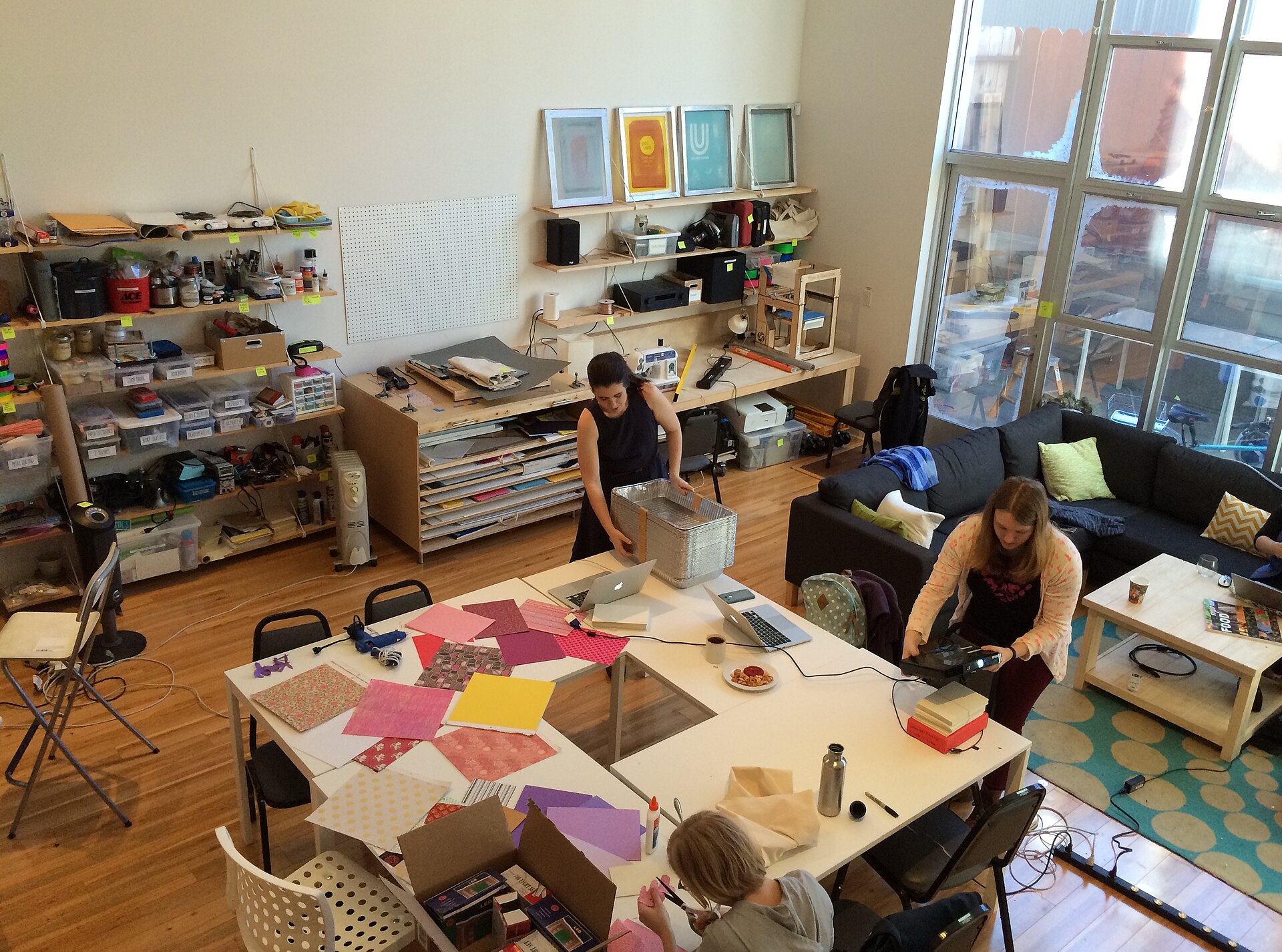
Members working together at benches in a community workshop

Run by the people who use it

Every hackspace that lasts is held together by members who took a turn on something nobody thanked them for. That is the job description.

Photo Dreamyshade · CC BY-SA 4.0
Hiring & referrals. Members who contribute consistently and have work worth showing get put in front of robotics teams that are hiring, in Vancouver and beyond, and go first in line for roles and co-op placements at Robomile. Build something, document it, and let us point at it.